
Fill in fields
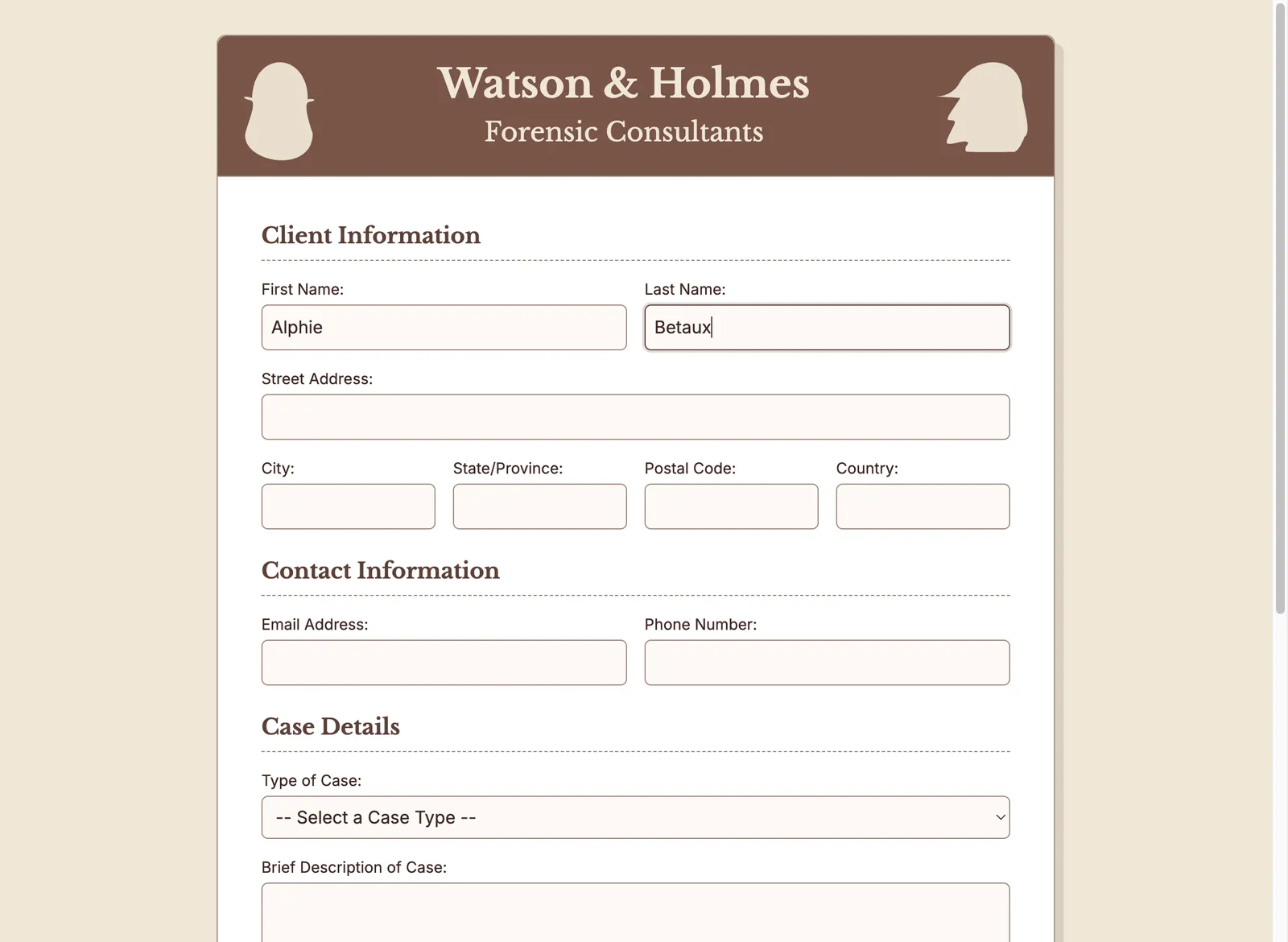
Filling in form fields is a common task in procedures. This short test opens a sample input form for the Watson and Holmes Forensic Consulting agency and fills in just the first and last name.
The test spec is hosted online as a Markdown file, so you don’t need to download it. Pass its URL to Doc Detective with the --input argument, and Doc Detective fetches and runs it.
To run the test:
-
Set up your test environment so the sample form is served at
http://localhost:8080/watson_and_holmes_intake_form.html. -
Run the hosted form-filler1.md test spec with Doc Detective:
NPX
Docker
Code walkthrough
The test spec is a Markdown file with inline tests. Each numbered step describes the action in prose, followed by a {/* step ... */} comment that Doc Detective runs.
The test opens with an inline test comment that defines the execution environment. That’s the platform and browser the test runs on. You can specify your own platform, but making the test compatible with other platforms doesn’t hurt. Chrome is currently the only browser that supports the record feature, which later examples use. In the headless state, the test runs without showing the actions in a browser window. Set headless to false to watch the actions instead. The form in this example is too large to fit on the screen. The viewport is therefore set to the full size, even when it isn’t displayed. This matters for taking screenshots, which a later tutorial covers.
Having set up the run environment, the test defines its steps. First, open the form in a web browser.
Locate an element with the label “First Name:” and type in the value Alphie.
Locate an element with the label “Last Name:” and type in the value Betaux.
Capture a screenshot of the completed fields, then pause 10 seconds so you can see the results before the test ends. In real tests, avoid long pauses so tests run as quickly as possible. Pauses are still invaluable when you’re learning or debugging.
Complete test spec
View the complete spec at form-filler1.md.
Next step: see Capturing a screenshot.